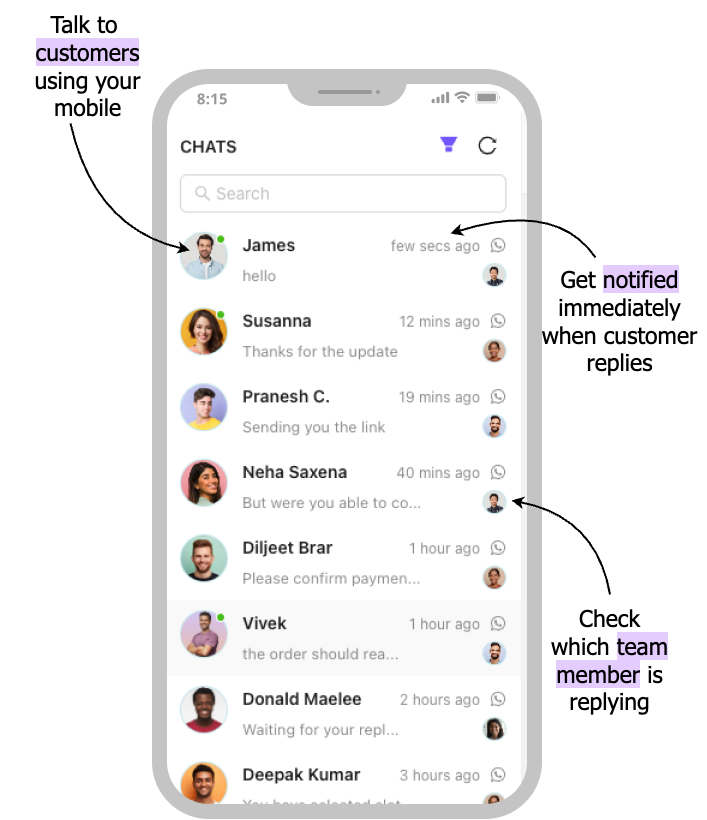
One Inbox for All Team Members
How Shared Team Inbox Works
- WACTO Dashboard: Contains inbox Module to view whatsapp conversations
- All team members: Access the same inbox to reply to customers
- Assign chats: Assign chats to agents for better handling
- View conversation history: Full context of the discussion or query
- Add internal notes: Collaborate in real-time
- Track performance: Analytics and reports


Benefits of Shared Team Inbox
- No Missed Messages – One place for all conversations
- Faster Responses – Multiple agents handle chats together
- Better Collaboration – Assign, comment, and resolve smoothly
- Full Transparency – Track who replied and when
- Improved Customer Experience – Quick, accurate support
- Scales with Team Growth – Ideal for small and large teams
- A unified view of all messages allows team members.
What Benefits You Will Get?
Customizable Access Controls
Manage access levels for each agent, granting permissions based on their role and ensuring data security and streamlined workflows.
Enhanced Team Collaboration
Allow multiple agents to access the WappBiz platform simultaneously, ensuring smooth coordination and quick responses to customer inquiries.
Internal Notes & Handover
Keep internal updates without sending them to customers by creating dedicated internal channels for team collaboration and information sharing without risking external exposure.
Individual Agent Monitoring
Track each agent’s activity and response performance, helping you monitor productivity and ensure high standards of customer service.
Multi-Device Access
Respond from desktop, tablet, or mobile with our versatile platform that ensures consistent communication no matter where you are or which device you choose to use.
Real-Time Notifications
Get instant alerts for new messages and never miss important customer inquiries that require your immediate attention or quick response to maintain excellent service standards.